AI Singers, Songs and Music Videos

Your photo. Your song. A full AI music video.

Pick a song or generate one, upload a photo of your singer, choose a style. Muzie directs a music video, lip-synced and cut to the lyrics, in minutes.

Made with Muzie. Tap one to play.

Coal is the BEST AI music video made with Muzie

Coal is the BEST

0:05

Half Life 3 AI music video made with Muzie

Half Life 3

0:05

Starmer AI music video made with Muzie

Starmer

0:05

Buzzball AI music video made with Muzie

Buzzball

0:12

Four taps to a music video

No timeline, no editing. Answer three questions and Muzie does the rest.

Step 1

Pick a song

Upload a track, choose one from your library, or have Muzie generate an original song. Trim it to the part you want.

Step 2

Add your singer

Upload a photo of anyone, a pet, or a drawing. That is who performs.

Step 3

Choose a style

Anime, claymation, 35mm film, or write your own visual direction.

Step 4

Direct it

Muzie storyboards the scenes, animates your singer and cuts it all to the lyrics.

Coal is the BEST AI music video made with Muzie

Coal is the BEST

0:05

A full music video, not a talking photo

Your singer performs across a set of cinematic scenes, each one storyboarded from the lyrics. Lips, timing and cuts all follow the song. Want something simpler? Lip sync mode gives you one close-up performance shot instead.

Multiple scenes cut to the lyrics

Lip-synced to the vocal

Any photo becomes the singer

Portrait video, ready to post

Same song, any look

Pick a style and every scene is drawn in it. Or type your own direction, from neon city at night to grainy 80s VHS.

Anime style AI music video

Anime

Cartoon style AI music video

Cartoon

Comic book style AI music video

Comic book

Claymation style AI music video

Claymation

Pixel art style AI music video

Pixel art

Cinematic film style AI music video

Cinematic film

Or write your own: “Golden hour on a beach, soft film grain, dreamy and nostalgic.”

Half Life 3 AI music video made with Muzie

Half Life 3

0:05

Any song. Or make one.

Bring your own track, reuse anything already in your library, or describe a song and let Muzie generate an original one with vocals. Trim to the chorus so the video is exactly the part you want to post.

Upload any audio file

Generate an original AI song

Trim to the best part

Your songs saved in one library
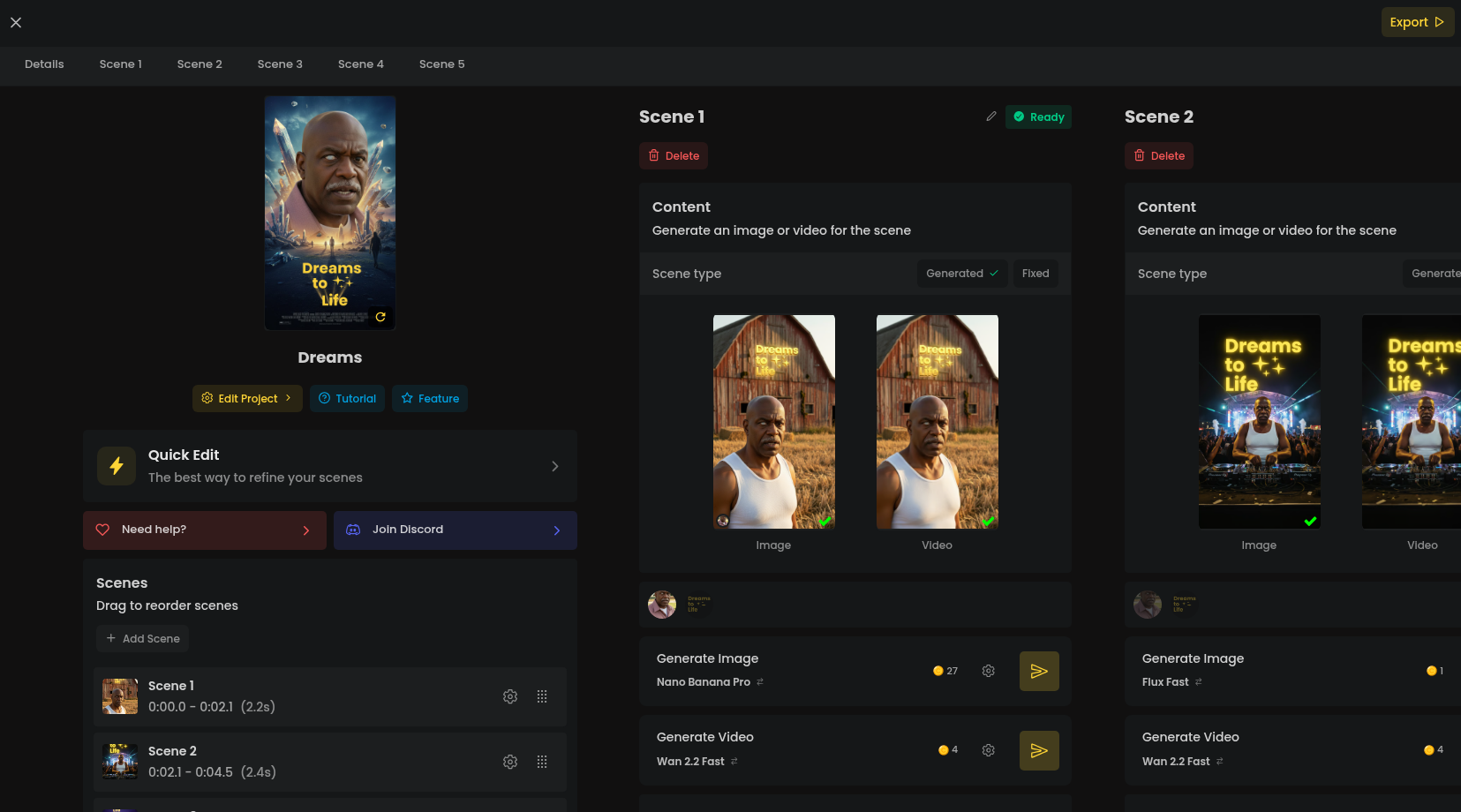
Muzie Studio storyboard editor

Every scene is yours to direct

Muzie hands you a storyboard, not a black box. Open any video in Studio to regenerate a shot, rewrite what happens in a scene, swap the image, or re-render the whole thing. Tweak as much or as little as you like.

Multi-scene storyboard editor

Regenerate any single shot

AI images per scene

Audio stays in sync

Starmer AI music video made with Muzie

Starmer

0:05

Built for TikTok, Reels & Shorts

Every video renders in portrait, the right length for a short, with the chorus front and centre. Download it and post, or share straight from the app.

9:16 portrait by default

Share or download in one tap

Trending templates to start from

HD render

FAQs

Have a question? We've got answers.

Muzie is an AI music video maker. You pick a song (or generate one), upload a photo of your singer, choose a style, and Muzie directs a full multi-scene music video with your singer lip-synced to the track.

Muzie reads the lyrics and storyboards a scene for each part of the song, generates the visuals in your chosen style, animates your singer performing, and cuts everything to the music. You get a storyboard you can edit in Studio, then a rendered video.

Yes. Upload any audio file, reuse a track already in your library, or describe a song and have Muzie generate an original one with vocals. You can trim to the exact section you want the video to cover.

Yes. Any photo works as the singer: a person, a pet, a drawing, a doll. Whatever is in the picture is who performs the song.

Muzie runs on tokens. You get some free to start, and each video costs tokens based on its length. Pro subscribers get a monthly token allowance plus longer videos. Current prices are in the app.

Yes. You get free tokens when you sign up, enough to make your first video without paying anything. After that, videos cost tokens based on their length.

A short clip is usually ready in a few minutes. Longer songs and the full music video mode take longer than lip sync mode because every scene is generated separately.

Yes. Every video renders in portrait, ready for TikTok, Reels and Shorts, and you can download it or share straight from the app. Just make sure you have the rights to any music you upload.

Muzie is on the web, iOS and Android. Your singers, songs and videos sync across all of them.

Email muzie@aphvn.com and a human will reply.

Your first music video is waiting

Muzie runs in your browser, no app needed